If you’ve ever run a local LLM, you’ve probably experienced this:
“The model hasn’t even started responding, and my GPU VRAM is already almost full.”
Or:
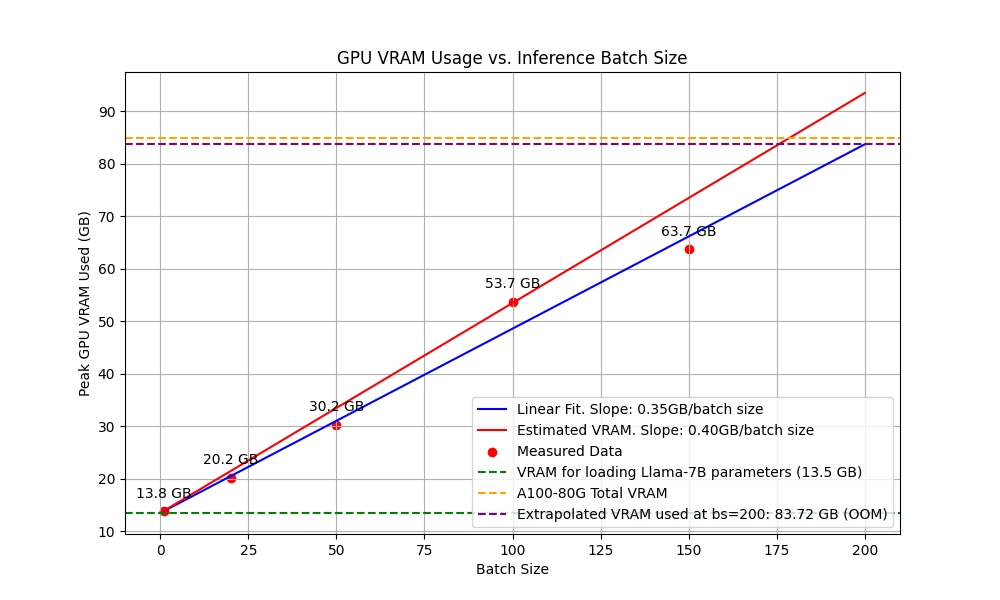
- A 13B model fails with an out-of-memory (OOM) error on load
- Increasing context length crashes the process
- GPU cores are barely utilized, yet memory is completely exhausted
This is not a misconfiguration.
👉 LLMs are inherently memory-hungry by design.
This article explains where GPU memory actually goes and why it’s so hard to reduce.
If you’ve ever run a local LLM, you’ve probably experienced this:
“The model hasn’t even started responding, and my GPU VRAM is already almost full.”
Or:
- A 13B model fails with an out-of-memory (OOM) error on load
- Increasing context length crashes the process
- GPU cores are barely utilized, yet memory is completely exhausted
This is not a misconfiguration.
👉 LLMs are inherently memory-hungry by design.
This article explains where GPU memory actually goes and why it’s so hard to reduce.
One-Sentence Takeaway
LLMs consume massive GPU memory not because they compute aggressively,
but because they must remember a large amount of information simultaneously.
A Crucial Concept: LLMs Are Not Traditional Programs
Traditional programs:
- Load input
- Compute
- Discard intermediate data
LLMs behave very differently.
👉 During inference, an LLM must retain information about everything that came before in order to generate what comes next.
Memory is a core requirement, not an implementation detail.
What Exactly Occupies GPU VRAM in an LLM?
At a minimum, LLM VRAM usage comes from four major components.
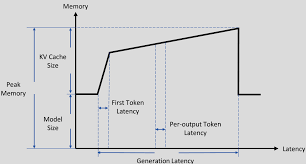
① Model Weights — The Largest Fixed Cost
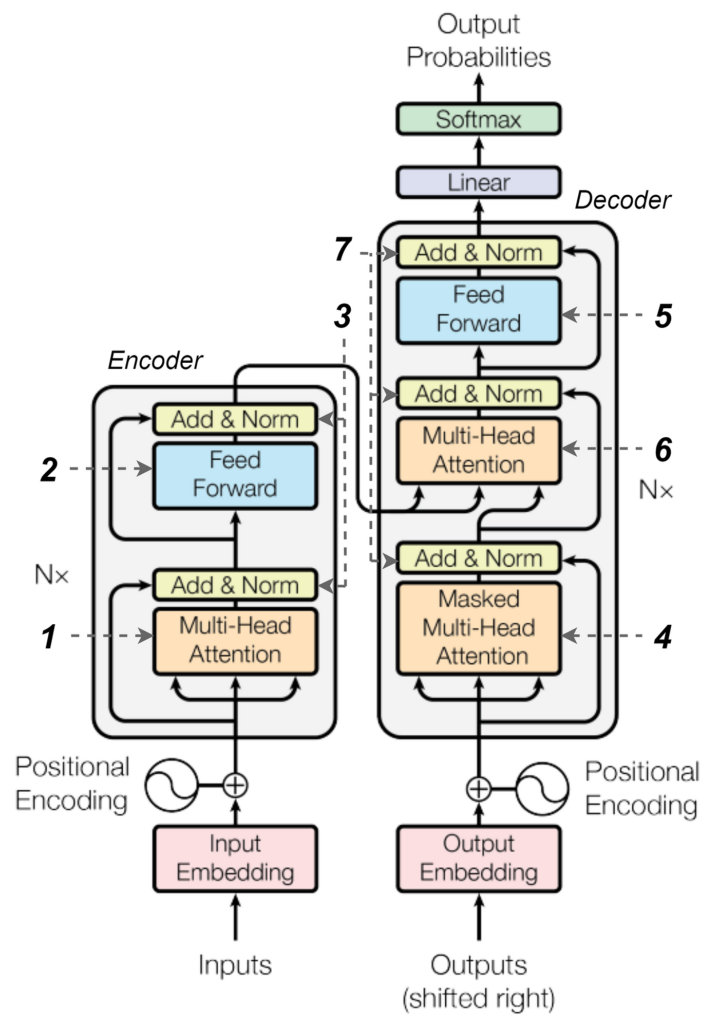
What are weights?
- All learned parameters in the neural network
- Matrices and vectors in each Transformer layer
Why are they so large?
- 7B model = 7 billion parameters
- 13B model = 13 billion parameters
Assuming FP16 precision (2 bytes per parameter):
- 7B ≈ 14 GB
- 13B ≈ 26 GB
📌 Weights are a fixed cost. Once loaded, they occupy VRAM permanently.
② KV Cache — The Hidden Memory Killer
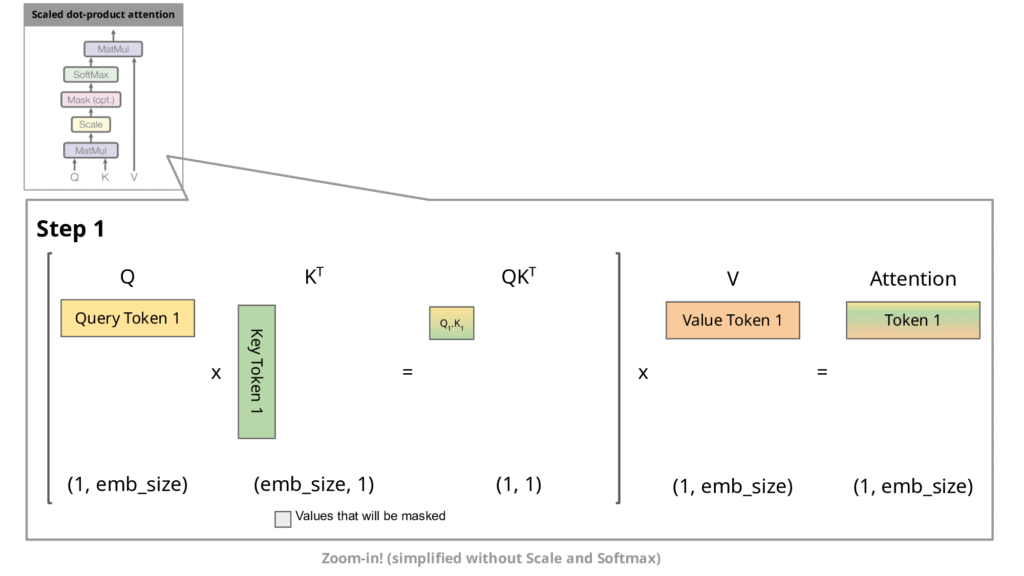
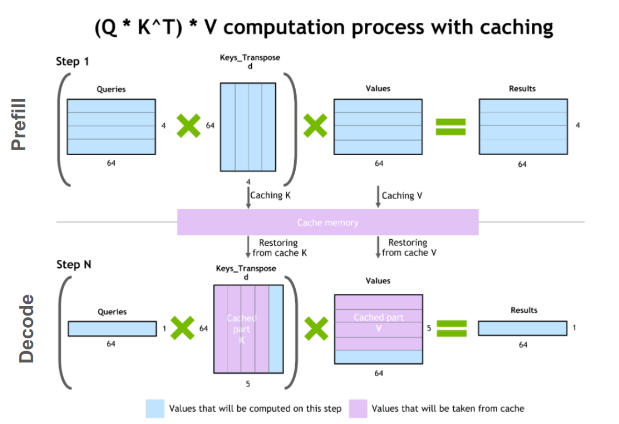
What is the KV cache?
- Key and Value tensors used by the attention mechanism
- Stored for every token that has already been processed
👉 Each generated token adds more data to the KV cache.
Why is the KV cache so dangerous?
KV cache size grows linearly with:
- Number of layers
- Hidden dimension
- Context length (token count)
📌 This means:
- Increasing context from 2k → 8k tokens
- VRAM usage increases linearly, not marginally
👉 This is why long conversations often crash first.
③ Intermediate Activations
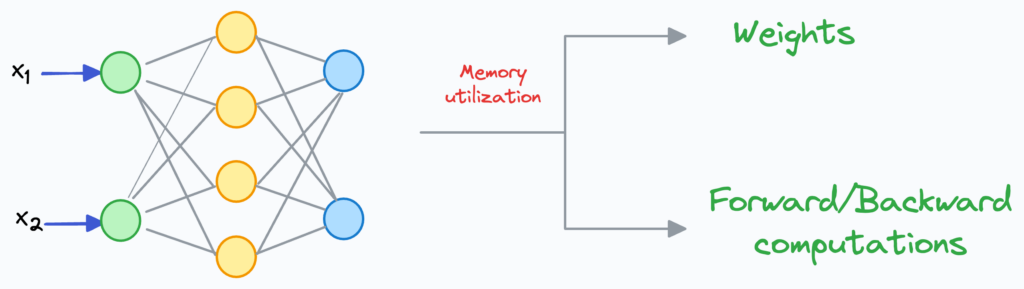
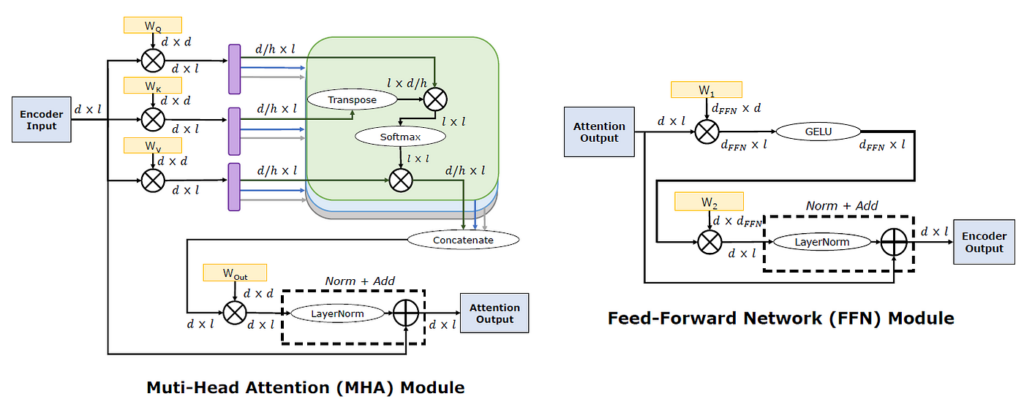
During inference:
- Each layer produces intermediate results (activations)
- While smaller than during training, they still exist during forward passes
📌 These activations contribute to real-time VRAM usage.
④ Framework and Runtime Buffers (Often Overlooked)
Even with a small model, GPU memory is reserved for:
- CUDA or Metal buffers
- Runtime workspaces
- Kernel scratch memory
These come from frameworks such as:
- PyTorch
- llama.cpp
- MLX
- TensorRT
👉 This overhead is unavoidable.
Why Does Inference Still Consume So Much Memory?
A common misconception:
“Only training uses lots of memory.”
In reality:
- Training uses:
- Weights
- Activations
- Gradients
- Optimizer states
- Inference uses:
- Weights
- KV cache
- Activations
👉 Gradients disappear, but KV cache replaces them.
Why Context Length Is a VRAM Multiplier
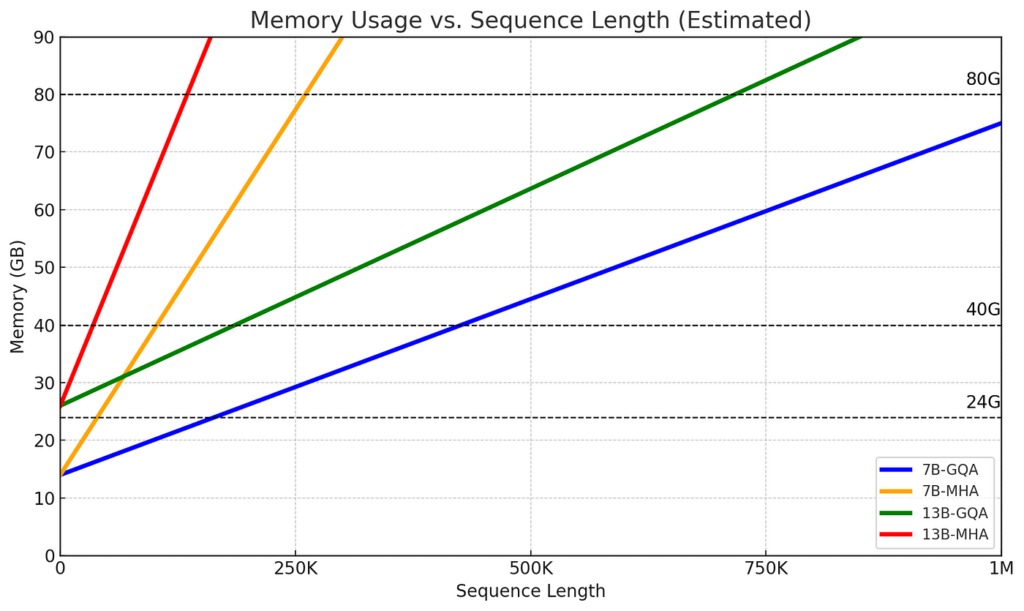
Because:
- Every token
- In every layer
- Stores a Key and Value pair
📌 Therefore:
- Same model
- Longer context
- Guaranteed memory growth
👉 There is no free way to extend context length.
How Much Does Quantization Actually Help?
Quantization:
- Significantly reduces weight size
- Example: 16-bit → 8-bit or 4-bit
However:
- KV cache is often still FP16
- Activations may not be fully quantized
- Long context lengths still dominate VRAM usage
👉 Quantization helps models fit—but doesn’t prevent memory growth.
Why Do GPU Cores Look Idle?
During LLM inference:
- Tokens are generated sequentially
- Attention requires memory access before computation
- Memory bandwidth often becomes the bottleneck
👉 The GPU is waiting on memory, not computation.
One Sentence to Remember
LLMs consume VRAM because they must store both the model itself and everything you’ve already said.
Practical Implications
- VRAM is the primary constraint for local LLMs
- GPU core count affects speed, not feasibility
- Context length is more expensive than most people expect
- Long conversations accumulate memory pressure
Final Conclusion
LLM GPU memory usage is a consequence of model architecture, not poor implementation.
Once you understand this, it becomes clear:
- Why 24 GB VRAM is dramatically better than 12 GB
- Why extending context length causes OOM errors
- Why GPU selection for local LLMs should always start with VRAM