從「手動換憑證」到「不中斷服務的生命週期管理」
在企業開始大量使用 Docker 之後,憑證管理很快會變成一個隱形風險點:
- 憑證是有效的
- TLS 設定是正確的
- 服務平時運作正常
直到某一天:
憑證過期,服務同時掛掉。
問題通常不在於 Docker,
而在於:
憑證的生命週期,沒有被當成系統的一部分來設計。
這篇文章將用企業實戰角度,說清楚:
在 Docker 環境中,憑證該怎麼「自動更新、可回滾、不中斷服務」。
一、為什麼 Docker 讓憑證管理「更容易出事」?
傳統主機時代
- 憑證放在
/etc/ssl - 服務常駐
- 手動更新後 restart
Docker 時代的現實
- 容器是短生命週期
- 憑證常用 volume 掛載
- 多個 container 共用同一張憑證
- restart ≠ reload
👉 如果沒設計好,自動化只會放大災難。
二、Docker 憑證管理的三個核心原則(先記住)
原則一:憑證不應該寫進 Image
❌ COPY fullchain.pem /app/
原因:
- Image 不可變
- 憑證會過期
- 重新 build = 風險
原則二:憑證必須與 Container 解耦
✅ 用 volume 掛載
volumes:
  - certs:/etc/ssl/certs
原則三:更新 ≠ 重啟(能 reload 就不要 restart)
服務是否支援 reload,決定你能不能「零中斷換憑證」。
三、Docker 環境下常見的憑證自動化架構
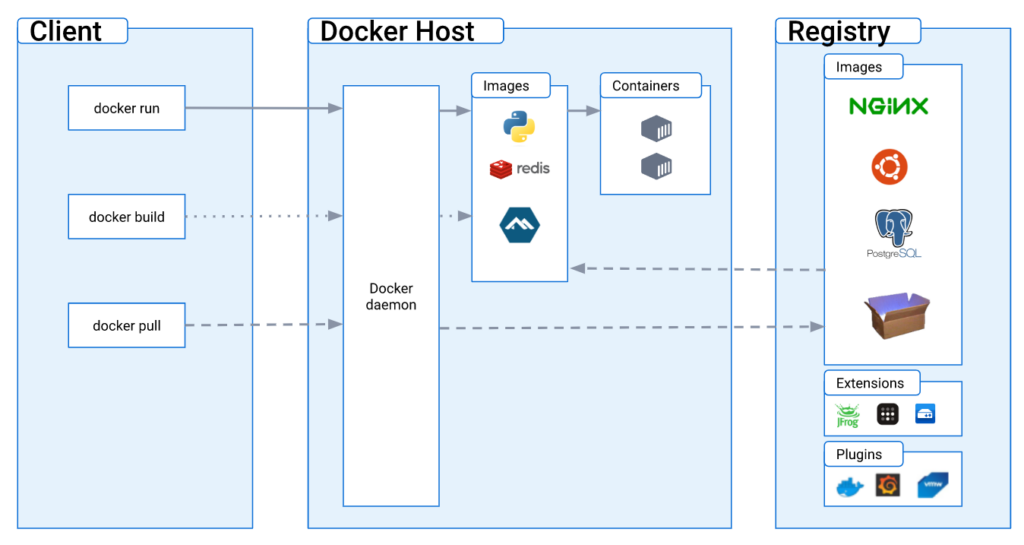
典型架構:
[ CA / ACME / Internal PKI ]
            │
            ▼
   Certificate Automation Container
            │ (volume)
            ▼
   Shared Certificate Volume
            │
   ┌────────┴────────┐
   ▼                 ▼
Web / Proxy       Mail / API
Containers        Containers
👉 憑證管理是一個「獨立職責」
四、方式一:Let’s Encrypt / ACME(對外服務)
架構重點
- 使用 certbot / acme.sh container
- 憑證存在 volume
- 服務 container 只「讀」
Docker Compose 範例(簡化)
services:
  certbot:
    image: certbot/certbot
    volumes:
      - certs:/etc/letsencrypt
      - webroot:/var/www/html
    command: renew

  nginx:
    image: nginx
    volumes:
      - certs:/etc/letsencrypt:ro
更新後怎麼讓服務生效?
正確做法(Reload)
docker kill -s HUP nginx
或在 container 內:
nginx -s reload
❌ 不建議直接 docker restart
五、方式二:Internal CA(企業內部系統)
與 Let’s Encrypt 最大差異
- 不是 DNS / HTTP 驗證
- 通常是:
- API
- CSR 簽發
- 短效期憑證(90 天以下)
建議架構
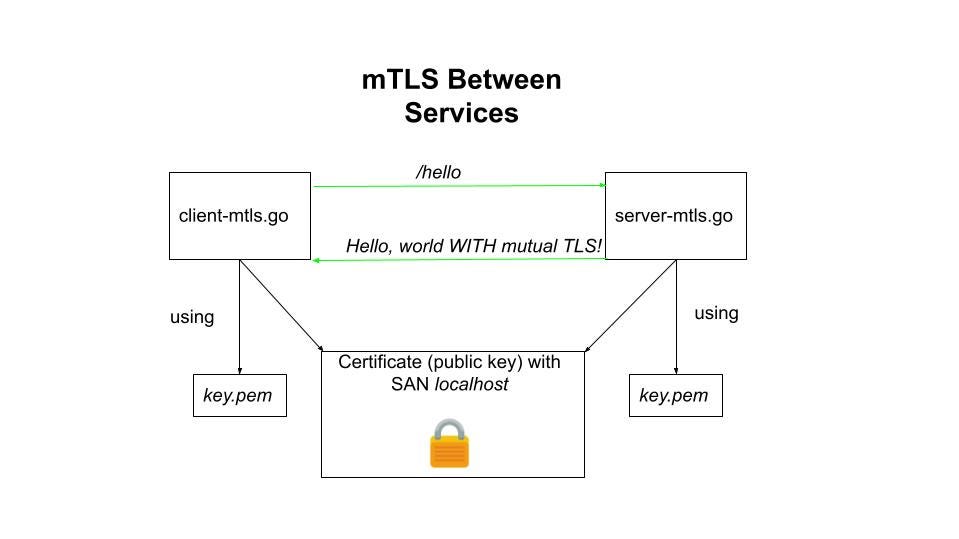
Internal CA
│
▼
Certificate Agent Container
│
▼
Shared Volume
│
▼
Service Containers
Certificate Agent 負責:
- 產生 CSR
- 申請新憑證
- 覆蓋舊憑證
- 觸發 reload
六、mTLS 環境下的憑證自動化重點
mTLS 不是只換 Server Cert:
| 類型 | 是否要自動化 |
|---|---|
| Server Cert | ✅ 必須 |
| Client Cert | ✅ 更重要 |
| CA Trust | ⚠️ 需控管 |
👉 Client Cert 過期,影響會更隱晦、更致命
七、憑證更新流程(建議標準化)
建議流程
- 檢查到期日(30 / 14 / 7 天)
- 申請新憑證
- 寫入新檔案(原路徑)
- 驗證檔案完整性
- Reload 服務
- 確認連線成功
- 記錄 log / alert
八、常見錯誤與事故來源(務必避開)
| 錯誤 | 後果 |
|---|---|
| 憑證寫在 image | 必須重 build |
| 自動更新後沒 reload | 更新等於沒更新 |
| 多 container 共用但不同 reload 行為 | 部分服務中斷 |
| 沒有監控到期日 | 半夜爆炸 |
| 用 restart 當 reload | 非預期中斷 |
九、與 PKI 事故演練的關聯(非常重要)
如果你做不到:
- 快速換憑證
- 快速 reload
- 快速更新 trust store
那麼在:
- Intermediate CA 外洩
- mTLS 強制輪換
時:
你會撐不住。
Docker 的憑證自動化,
其實是 PKI 災難復原能力的基本功。
十、給企業的一句話總結
在 Docker 環境中,
沒有憑證自動化,就沒有真正的 TLS 安全。
結語:憑證不是設定檔,是生命週期
真正成熟的 Docker 架構,不只是:
- 能跑
- 能擴充
而是:
憑證會自己更新,服務不會中斷,事故來了撐得住。
如果你已經在 Docker 中使用:
- HTTPS
- Internal PKI
- mTLS
那麼憑證自動化:
不是加分項,而是必修課。