From Manual Renewals to Zero-Downtime Certificate Lifecycle Management
As enterprises adopt Docker at scale, certificates quietly become one of the highest-risk operational blind spots:
- TLS is configured correctly
- Certificates are valid — until they aren’t
- Services run perfectly — until midnight on expiration day
Then suddenly:
Certificates expire, containers fail, and multiple services go down at once.
The root cause is rarely Docker itself.
It is almost always this:
Certificate lifecycle management was never designed as part of the system.
This article explains — from an enterprise, production-oriented perspective —
how to automate certificate renewal in Docker environments safely, reliably, and without downtime.
1. Why Docker Makes Certificate Failures More Dangerous
Traditional VM / Bare-Metal Era
- Certificates stored in
/etc/ssl - Long-running services
- Manual renewal + restart
Docker Reality
- Containers are ephemeral
- Certificates are usually volume-mounted
- Multiple containers may share one certificate
- Restart ≠ reload
👉 Without proper design, automation amplifies failure instead of preventing it.
2. Three Non-Negotiable Principles for Docker Certificate Management
Principle 1: Never Bake Certificates into Images
❌
COPY fullchain.pem /app/certs/
Why this is dangerous:
- Images are immutable
- Certificates expire
- Rebuilding images under pressure causes outages
Principle 2: Certificates Must Be Decoupled from Containers
✅ Use shared volumes:
volumes:
  - certs:/etc/ssl/certs
Certificates live independently of container lifecycle.
Principle 3: Renewal ≠ Restart
Reload whenever possible. Restart only as a last resort.
Zero-downtime renewal depends on application reload support.
3. Common Docker Certificate Automation Architecture
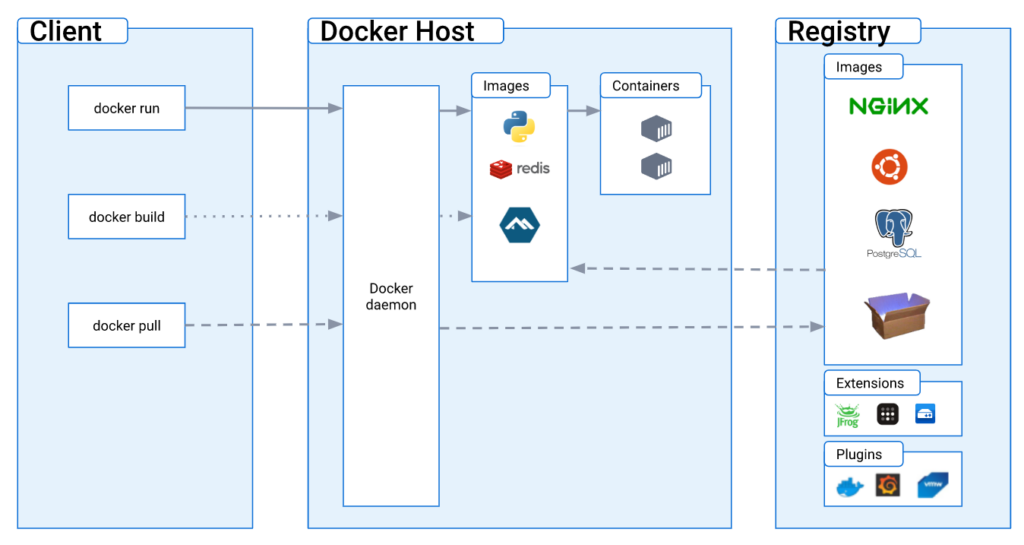
Typical enterprise layout:
[ CA / ACME / Internal PKI ]
            │
            ▼
 Certificate Automation Container
            │ (shared volume)
            ▼
 Shared Certificate Volume
            │
   ┌────────┴────────┐
   ▼                 ▼
Reverse Proxy     API / Mail
Containers        Containers
👉 Certificate management is a standalone responsibility, not an app feature.
4. Option 1: Let’s Encrypt / ACME Automation (Public Services)
Key Characteristics
- certbot or acme.sh runs in its own container
- Certificates stored in a volume
- Application containers mount certificates read-only
Minimal Docker Compose Example
services:
  certbot:
    image: certbot/certbot
    volumes:
      - certs:/etc/letsencrypt
      - webroot:/var/www/html
    command: renew

  nginx:
    image: nginx
    volumes:
      - certs:/etc/letsencrypt:ro
Making Renewed Certificates Effective
Correct Approach: Reload
docker kill -s HUP nginx
or inside the container:
nginx -s reload
❌ Avoid blind docker restart whenever possible.
5. Option 2: Internal CA Automation (Enterprise Internal Systems)
How This Differs from ACME
- No HTTP/DNS challenges
- Often CSR-based or API-driven
- Short-lived certificates (≤ 90 days)
- Frequently used with mTLS
Recommended Internal CA Automation Architecture
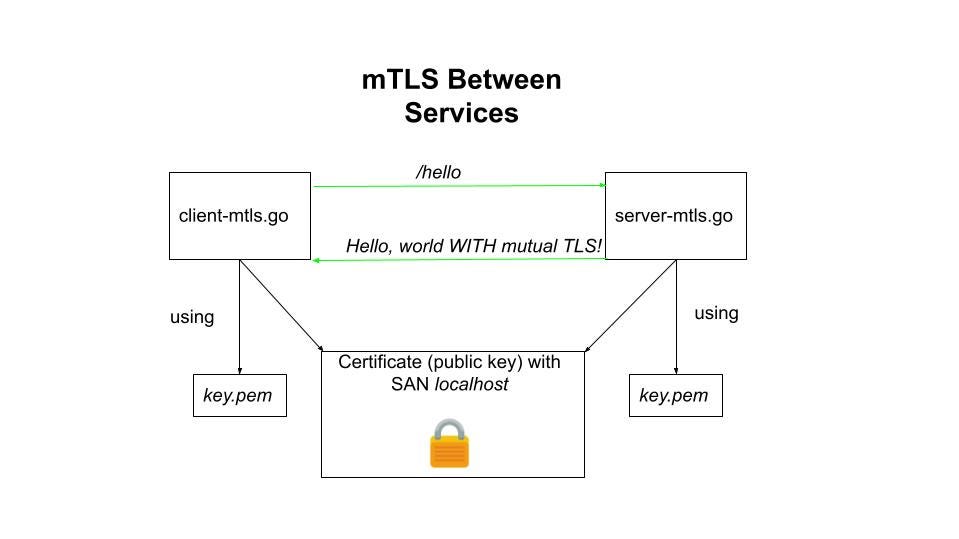
Internal CA
│
▼
Certificate Agent Container
│
▼
Shared Certificate Volume
│
▼
Service Containers
The certificate agent handles:
- CSR generation
- Certificate renewal
- Atomic file replacement
- Triggering service reloads
6. Special Considerations for mTLS Environments
In mTLS, server certificates are only half the story:
| Certificate Type | Automation Required |
|---|---|
| Server Certificates | ✅ Mandatory |
| Client Certificates | ✅ Even more critical |
| CA Trust Stores | ⚠️ Controlled updates |
👉 Client certificate expiration causes subtle, hard-to-debug outages.
7. A Recommended Certificate Renewal Workflow
- Check expiration thresholds (30 / 14 / 7 days)
- Request new certificate
- Write new files atomically (same paths)
- Validate certificate integrity
- Reload dependent services
- Verify live connections
- Log and alert
8. Common Mistakes That Cause Certificate Incidents
| Mistake | Impact |
|---|---|
| Certificates baked into images | Forced rebuild under pressure |
| Renewal without reload | Renewal has no effect |
| Shared certs with inconsistent reload behavior | Partial outages |
| No expiration monitoring | Midnight failures |
| Using restart instead of reload | Unexpected downtime |
9. Why Certificate Automation Is a PKI Survival Skill
If your organization cannot:
- Rotate certificates quickly
- Reload services safely
- Update trust stores predictably
Then during:
- Intermediate CA compromise
- Forced mTLS reissuance
- Emergency certificate revocation
Your services will not survive.
Docker certificate automation is foundational to PKI incident resilience.
10. One Sentence Every Enterprise Should Remember
In Docker environments,
no certificate automation means no real TLS security.
Conclusion: Certificates Are a Lifecycle, Not a File
A mature Docker platform is not defined by:
- Containers that start
- Services that scale
It is defined by:
Certificates that renew automatically,
services that reload without interruption,
and systems that survive certificate-related incidents.
If your Docker environment already uses:
- HTTPS
- Internal PKI
- mTLS
Then certificate automation is not optional — it is operational hygiene.