As modern IT environments become increasingly complex, integrating systems, simplifying workflows, and reducing manual operations are essential.
n8n is an open-source automation and integration platform that lets you connect different systems, databases, APIs, and even AI models using visual, workflow-based logic.
This article summarizes the official n8n Learning Path, enhanced with real-world enterprise use cases.
🔹 What is n8n?
n8n allows you to create automations using modular “building blocks” called workflows, enabling:
- Email automation
- Report generation
- Data cleaning & transformation
- API orchestration
- ERP/CRM integrations
- AI & RAG pipeline automation
Compared with SaaS tools like Zapier/Make, n8n offers:
✔ 100% open source
✔ Fully self-hosted
✔ Supports Docker, Kubernetes, Linux
✔ Runs inside a private network
✔ No data leaves your environment
Perfect for enterprises with strict security and compliance requirements.
🔹 Four Core Concepts (from the Learning Path)
1. Workflows
A workflow is a chain of tasks:
Trigger → Process → Transform → API → Store → Notify
It can be simple or extremely sophisticated.
2. Triggers
Triggers define when a workflow starts:
- Cron (scheduled tasks)
- Webhook (external calls, e.g., RAG queries)
- Email trigger
- Database trigger
- File system events
3. Nodes
A node is one action inside the workflow.
Examples:
- HTTP Request
- MySQL / PostgreSQL
- Send Email
- If / Switch logic
- AI / LLM requests
- Function Node (JavaScript)
n8n includes 300+ built-in nodes and supports custom nodes.
4. Data Transformation
Data flows between nodes, and n8n provides tools to manipulate it:
- JSON mappings
- Field mapping
- Splitting / merging
- Regex
- Custom JavaScript logic
This is especially useful for RAG pipelines and ERP report generation.
🔹 n8n Architecture for Enterprise Use
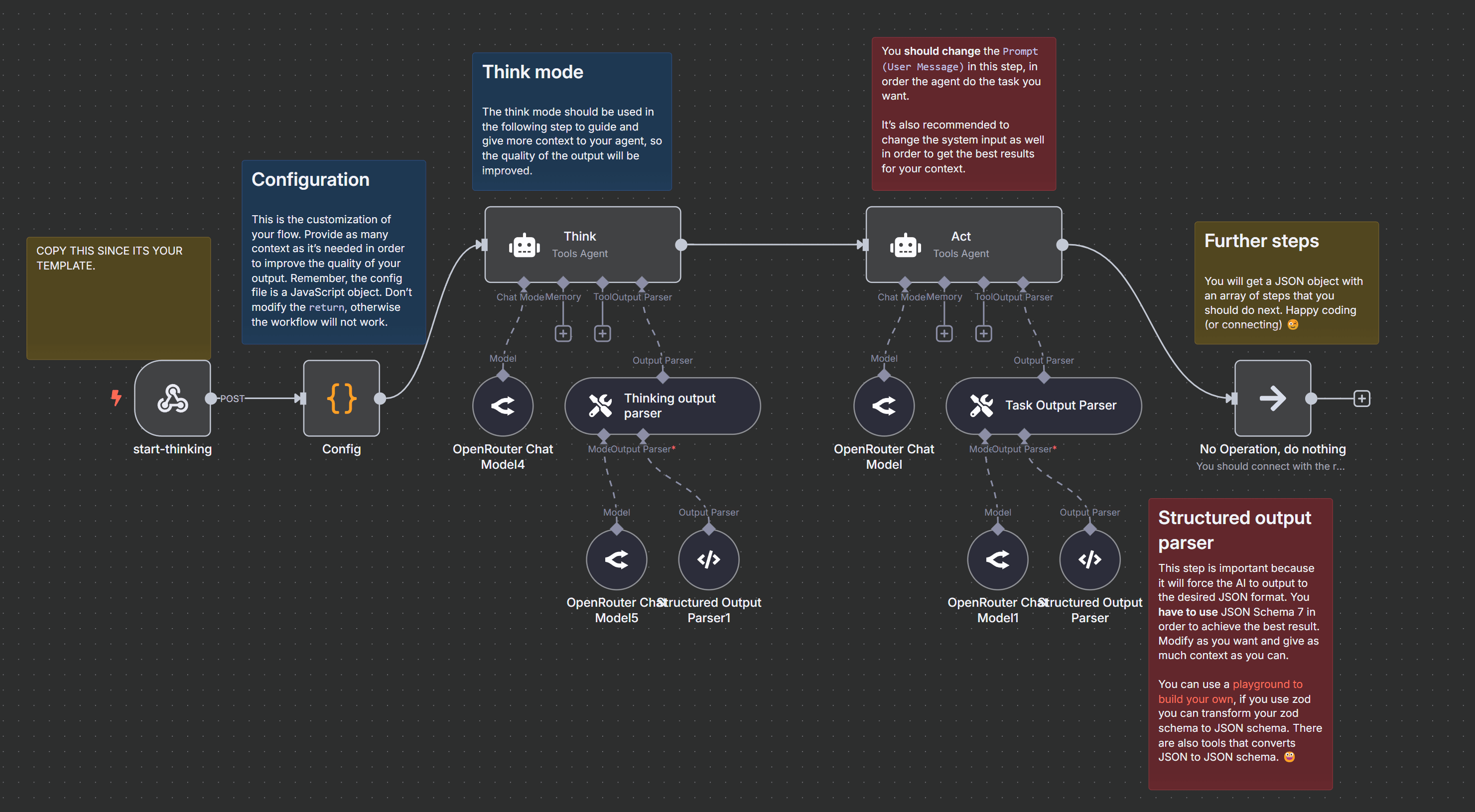
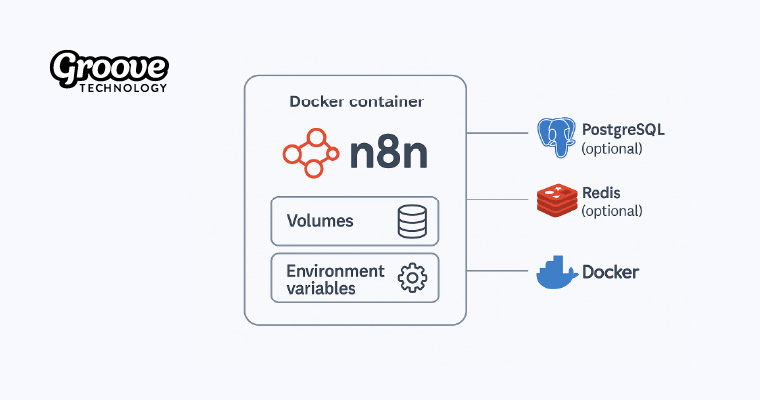
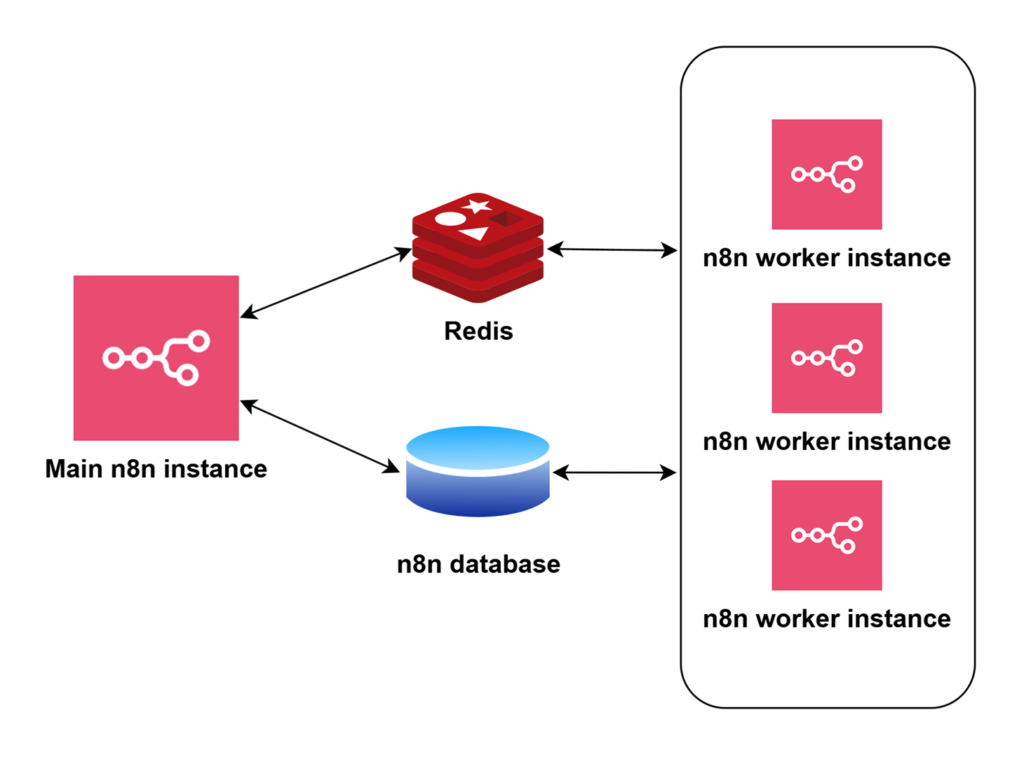
n8n supports:
- Docker (recommended)
- Docker Compose
- Kubernetes
- Bare-metal Linux
Enterprise features include:
- Self-hosting inside your private network
- Scalable worker model (distributed execution)
- Queue mode for heavy workloads
- Access control & workspaces
- Audit logs for compliance
You can treat n8n as:
The central automation & orchestration hub of your organization.
🔹 What Can n8n Do? (Enterprise Examples)
🔸 1. Internal Automation
- Employee onboarding → auto-create Email/AD/ERP accounts
- Scheduled email reports
- Permission assignment
- Approval workflows (EIP alternative)
🔸 2. ERP Integration (SAP / D365 BC / WMS)
- Synchronize data between systems
- Auto-send ERP notifications
- Detect API failures and alert IT
- Generate combined cross-system reports
🔸 3. Email System Automation (Postfix + Piler + SpamAssassin)
- Auto-create tickets based on incoming emails
- Monitor spam/virus scores
- Query archived mail from Piler
- Automate DKIM/SPF/DMARC configuration steps
🔸 4. AI & RAG Pipeline Automation
You can build a full AI + RAG pipeline:
Document → Parse → Clean → Chunk → Embed via GPU server → Update vector DB → Notify
No manual work required.
🔸 5. Monitoring & Alerting
- Detect container failures
- API response time alerts
- Resource usage monitoring
- Postfix mail queue alerts
n8n becomes your internal “event center”.
🔹 Learning Path Summary (Official)
The Learning Path covers six stages:
1️⃣ Understanding workflows
Nodes, triggers, data flow.
2️⃣ Data transformation
JSON, mappings, function nodes.
3️⃣ API integration
HTTP requests, authentication, parsing.
4️⃣ Error handling
Retries, branching, workflow failures.
5️⃣ Deployment
Docker/Kubernetes installation and configuration.
6️⃣ Enterprise features
Scaling, workspaces, audit logs, collaboration.
🔹 Conclusion: n8n Is a Foundation for Enterprise Automation
n8n is more than an automation tool.
It is a central integration platform that can significantly reduce manual work, improve system communication, support AI workflows, and strengthen IT operations.
If your organization is moving toward automation, data governance, and AI adoption, n8n is one of the most valuable open-source tools you can deploy.