If you read about AI, deep learning, image processing, or high-performance computing, you will almost certainly encounter one term again and again: CUDA.
Many people know “AI needs CUDA”, but when asked what CUDA actually is, the answer is often vague.
This article explains CUDA in plain English, using visual thinking and real-world analogies—no math, no jargon overload.
One-Sentence Definition: What Is CUDA?
CUDA is a method and set of rules that allow GPUs to perform massive parallel work efficiently.
CUDA is not hardware, not a chip, and not a graphics card.
It is a programming and execution model that teaches computers how to properly command GPUs.
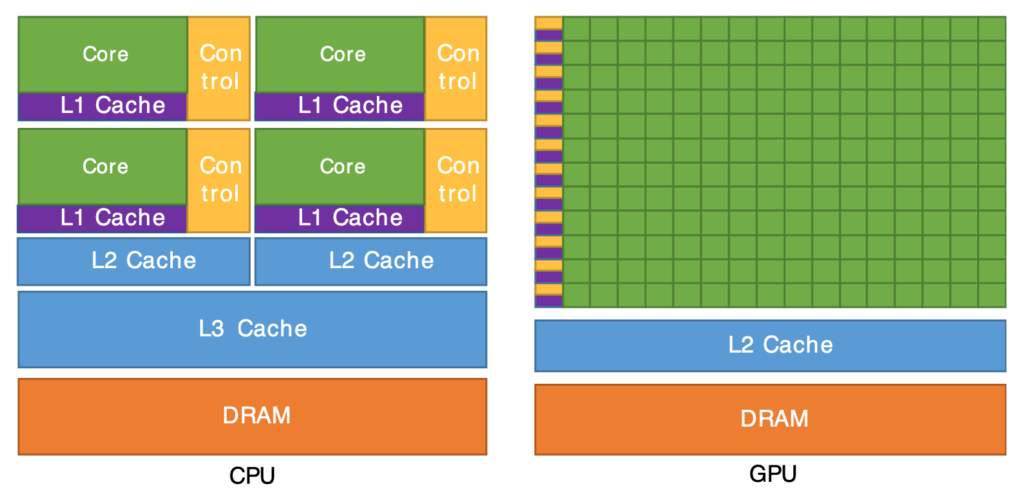
Why Do We Need CUDA? CPU vs GPU
CPU: Smart but Few
- Like a very intelligent manager
- Handles complex logic and decisions
- Can only focus on a few tasks at once
GPU: Many but Simple
- Like a massive factory
- Contains thousands of simple workers
- Each worker does only a small, repetitive task
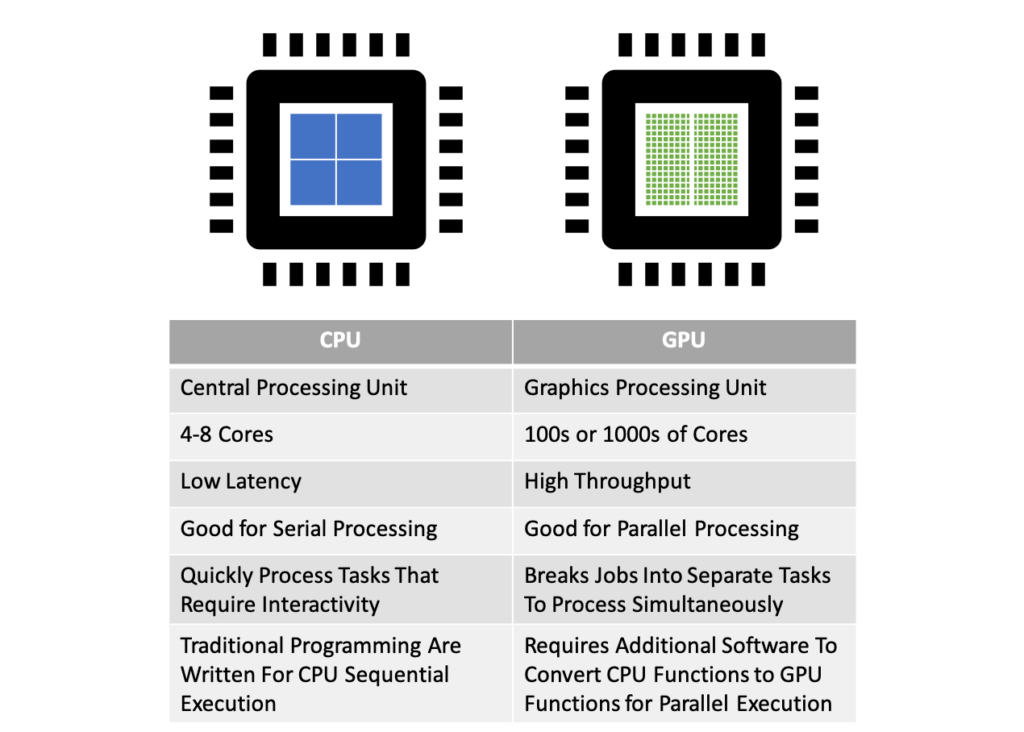
👉 If a problem can be broken into many identical small tasks,
a GPU can solve it far faster than a CPU.
So What Role Does CUDA Play?
The challenge is not having many GPU workers—it is organizing them efficiently.
That is exactly what CUDA does.
You can think of CUDA as:
- A task-splitting strategy
- An execution model
- A memory-usage rulebook
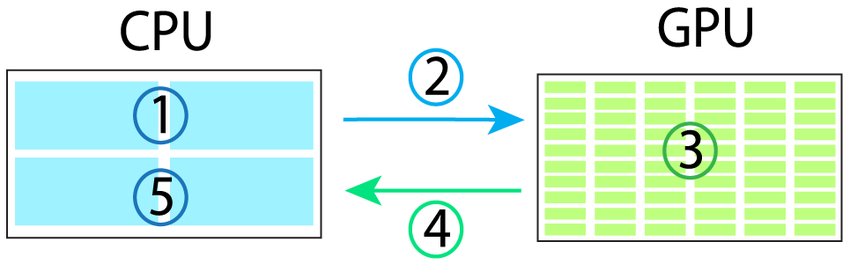
It allows the CPU to clearly tell the GPU:
- How to divide the work
- Who does which part
- How results are collected
CUDA was designed by NVIDIA specifically for its GPUs.
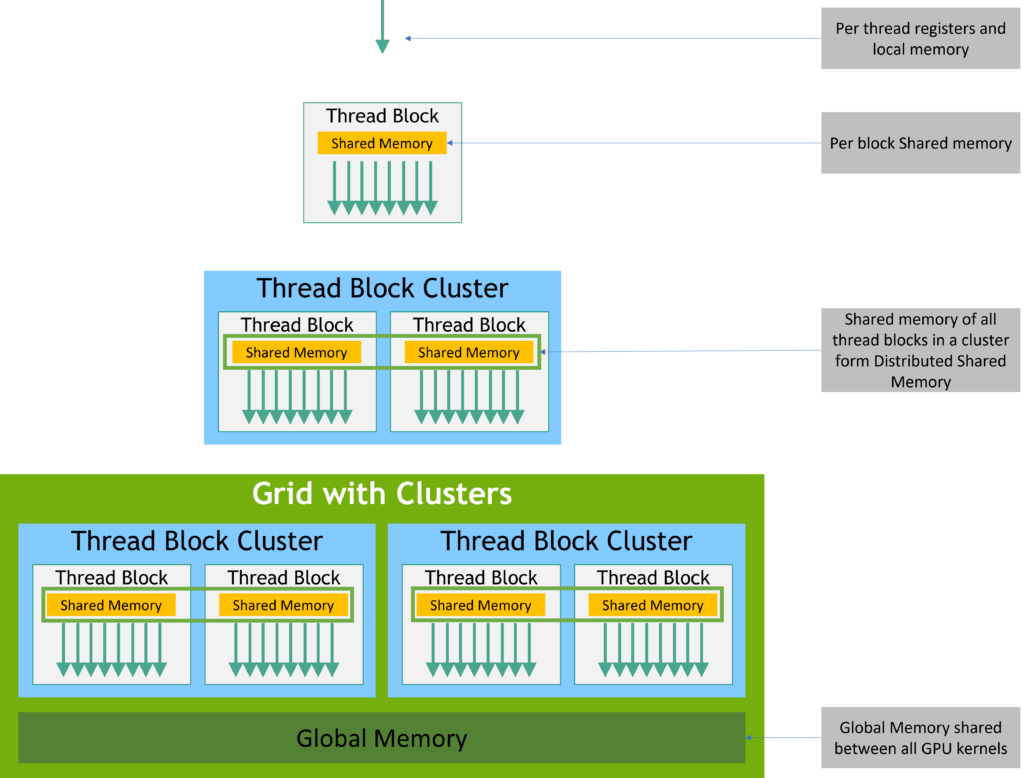
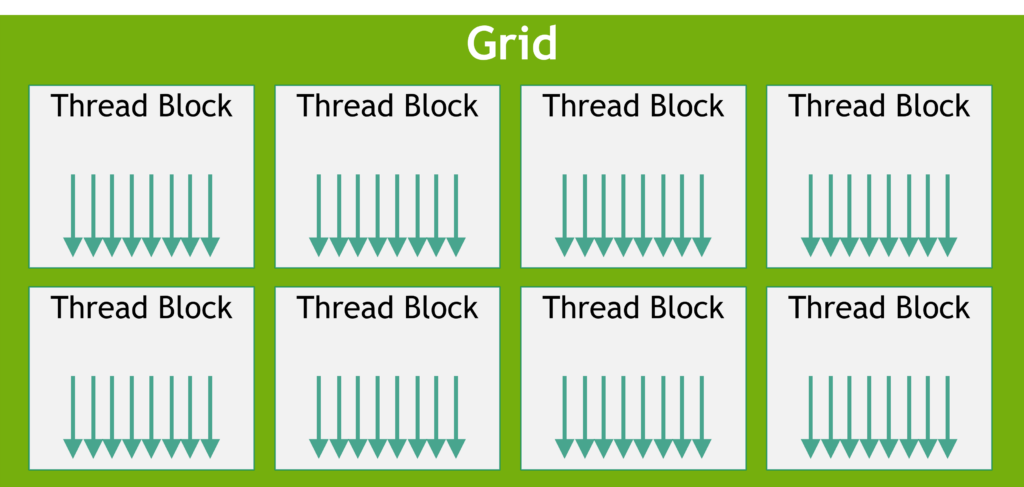
The Core CUDA Concept: Three Levels of Parallelism
This structure is the heart of CUDA.
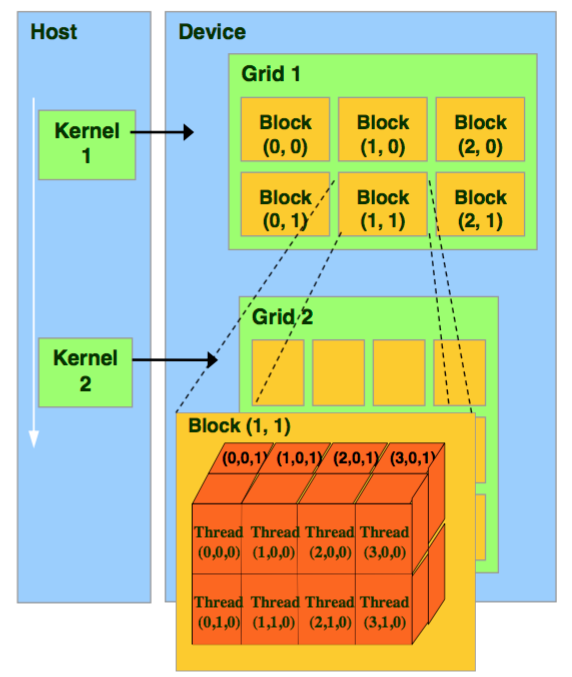
Thread = One Worker
- Smallest unit of execution
- Handles one tiny computation
Examples:
- One pixel
- One matrix element
Block = A Team
- A group of threads
- Threads in the same block can cooperate and share data
Think of:
- A classroom cleaning one room together
- Sharing tools and supplies
Grid = The Entire Workforce
- All blocks combined
- Represents the full job
📌 Easy way to remember:
Grid (entire job)
 └── Block (teams)
      └── Thread (individual workers)
What Is a CUDA Kernel?
A kernel is not an operating-system kernel.
In CUDA, a kernel is:
The instruction that every GPU worker follows.
The CPU launches a kernel once.
The GPU executes it thousands of times simultaneously, once per thread.
Each worker runs the same logic—but on different data.
Why Is CUDA So Fast?
Not because it is smarter—but because it works in parallel.
CPU approach
Process item 1 → item 2 → item 3 → ...
CUDA + GPU approach
10,000 workers process 10,000 items at the same time
CUDA excels when:
- The computation rule is identical
- The dataset is large
- Tasks are independent
CUDA Memory Explained with a Warehouse Analogy
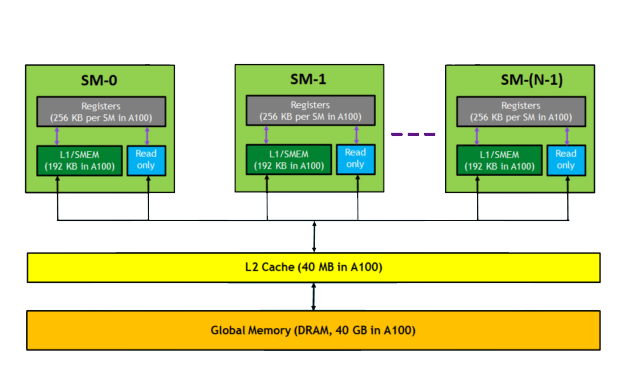
Global Memory (Main Warehouse)
- Large but slow
- Accessible by all threads
Shared Memory (Team Toolbox)
- Smaller and much faster
- Shared within a block
Registers (Personal Pockets)
- Extremely fast
- Very limited
- Private to each thread
👉 Efficient CUDA programs depend heavily on placing data in the right memory level.
Is CUDA Always the Best Choice? No.
CUDA is powerful, but not universal.
Good Use Cases
- AI training and inference
- Deep learning
- Image and video processing
- Large-scale numerical computation
Poor Use Cases
- Heavy branching (many if/else conditions)
- Complex dependencies between steps
- Small datasets
Final Takeaway
CUDA is not hardware—it is a method that enables GPUs to execute massive parallel workloads efficiently.
- CPU: planning and control
- GPU: large-scale execution
- CUDA: the bridge that connects them