If you have ever worked with AI or deep learning, you have probably heard this statement:
“AI training requires GPUs. Without GPUs, it’s simply not practical.”
But why is that true?
CPUs can compute too—so why can’t they handle AI training efficiently?
And what role does CUDA actually play?
This article explains the answer without math formulas, starting from what AI training really does under the hood.
The One-Sentence Answer
AI training requires GPUs and CUDA because it consists of massive, highly parallel matrix computations—and GPUs are specifically designed to execute this kind of workload efficiently.
What Is AI Training Actually Doing?
AI training is often misunderstood as “thinking” or “reasoning.”
In reality, it is mostly numerical computation.
At its core, AI training repeatedly performs:
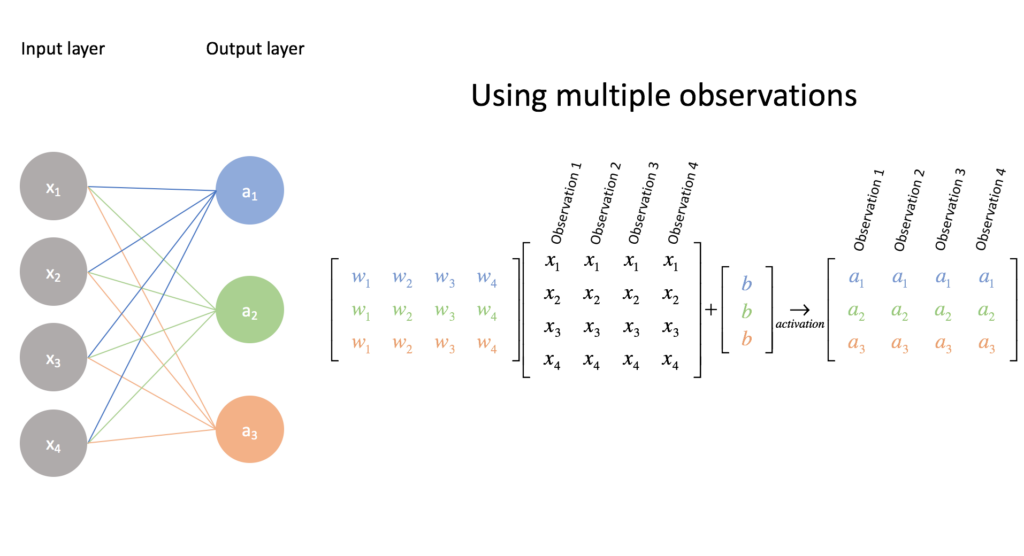
- Large-scale matrix multiplications
- Massive numbers of additions
- The same computation pattern, repeated millions or billions of times
For a neural network:
- Each layer is a matrix
- Every training step involves:
- Forward pass
- Backpropagation
- Weight updates
📌 This is not intelligence—it is brute-force computation.
Why CPUs Struggle with AI Training
CPU strengths:
- Complex control logic
- Branching (if/else)
- Task scheduling
- Operating system work
But AI training requires:
- Identical operations
- Extremely large datasets
- Minimal branching
- Maximum throughput
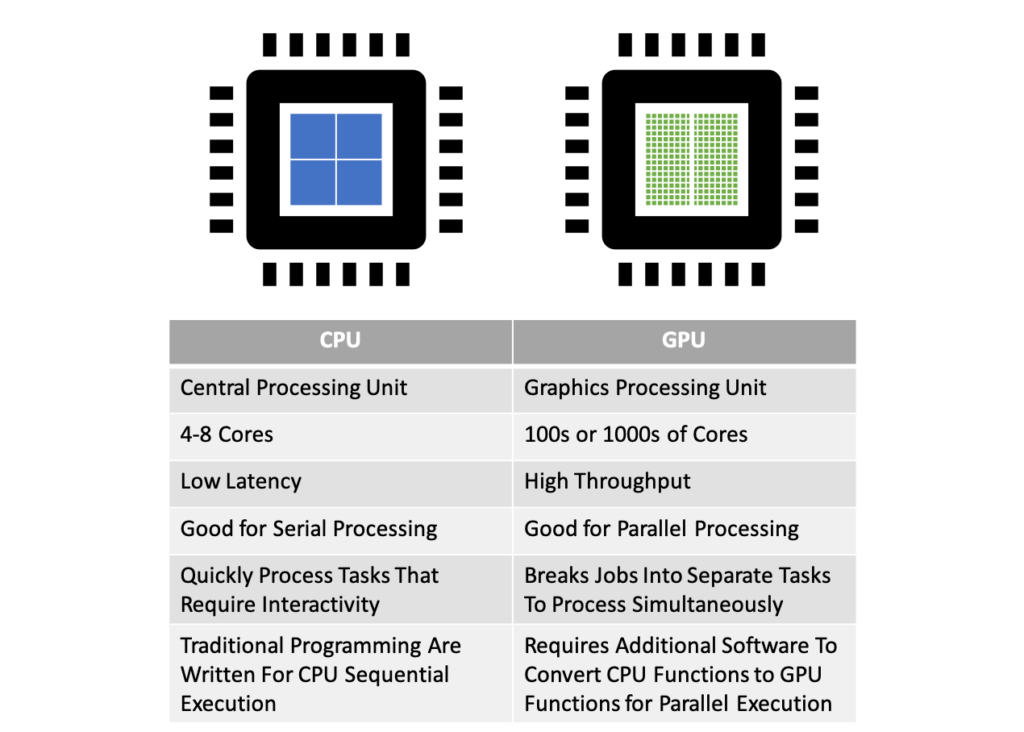
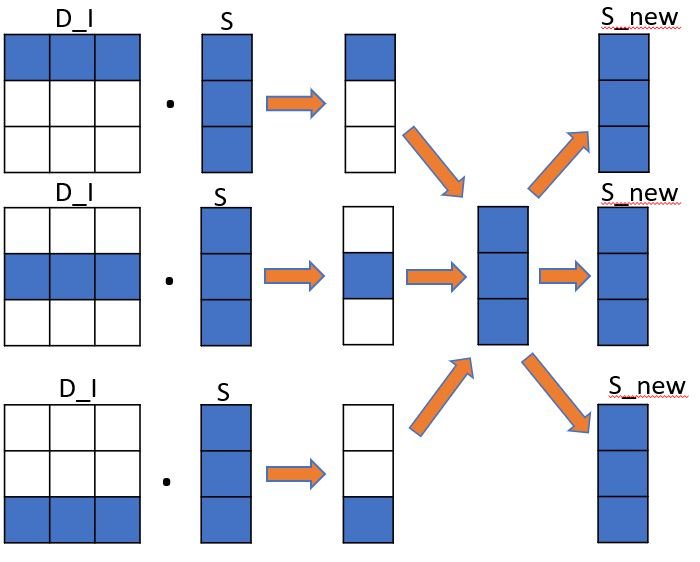
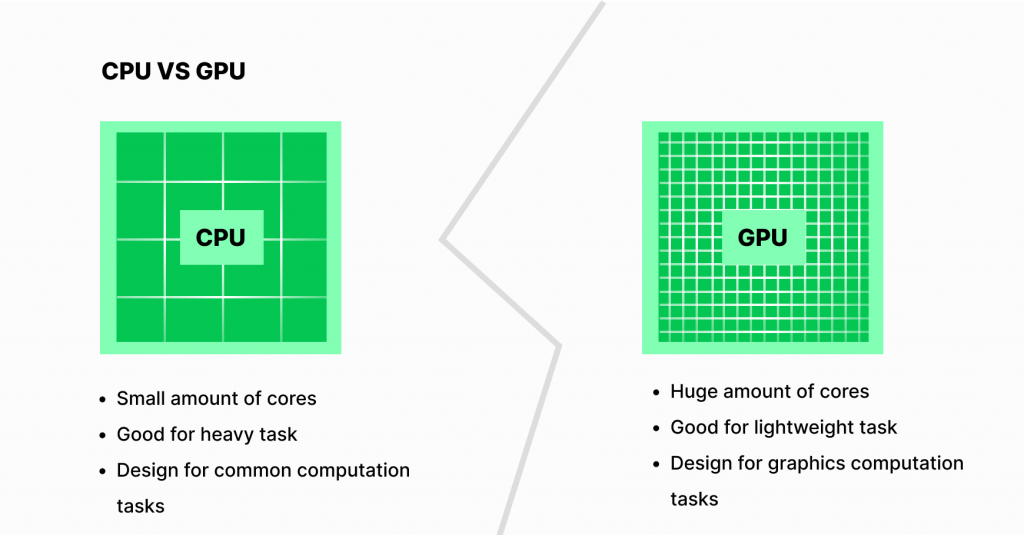
👉 CPUs are like very smart managers with only a few hands
👉 AI training needs thousands of workers lifting data simultaneously
Even with optimizations, CPUs execute these operations mostly sequentially, which becomes painfully slow at scale.
Why GPUs Are Ideal for AI Training
GPUs Were Built for Parallel Work
Originally, GPUs were designed for graphics rendering:
- A single image contains millions of pixels
- Each pixel undergoes almost identical calculations
This design turns out to be perfect for AI workloads.
GPU Advantages for AI Training
| GPU Feature | Why It Matters |
|---|---|
| Thousands of cores | Massive parallel execution |
| SIMT architecture | Same instruction across many data points |
| High memory bandwidth | Continuous data feeding |
| Specialized math units | Fast matrix multiplication |
👉 AI training workloads map naturally onto GPU hardware.
Where Does CUDA Fit In?
A powerful GPU alone is not enough.
The real challenge is:
How do you efficiently coordinate tens of thousands of GPU cores?
That coordination is handled by CUDA.
CUDA Is the Traffic System for AI Training
CUDA is a parallel computing platform designed by NVIDIA that provides:
- A GPU execution model
- A memory hierarchy
- A programming interface for massive parallelism
CUDA allows AI frameworks to:
- Break training into millions of identical tasks
- Schedule them across GPU cores
- Optimize memory movement and synchronization
Without CUDA, GPU hardware would be severely underutilized.
What Happens Without GPU or CUDA?
Scenario 1: CPU-only Training
- Technically possible
- Impractically slow
- Training may take months instead of days
Scenario 2: GPU Without CUDA
- Hardware exists
- No efficient execution model
- Most cores remain idle
Scenario 3: GPU + CUDA
- Full hardware utilization
- Optimized memory access
- Training time reduced by orders of magnitude
Why Large Language Models Depend on GPU and CUDA
Large Language Models (LLMs) make this even more obvious:
- Parameter counts:
- Tens of billions
- Hundreds of billions
- Each training step:
- Matrix × matrix operations at extreme scale
📌 Without GPUs, the computation is infeasible
📌 Without CUDA, GPUs cannot run efficiently
That is why frameworks such as:
- PyTorch
- TensorFlow
are CUDA-first by design.
What About AMD or Apple GPUs?
This does not mean CUDA is the only way to run AI.
However:
- CUDA is mature
- The ecosystem is stable
- Tooling, documentation, and community support are unmatched
Other platforms can work, but:
- Performance tuning is harder
- Compatibility is limited
- Engineering cost is higher
👉 For AI training, CUDA remains the dominant standard.
Final Summary
AI training is not about reasoning—it is about executing enormous volumes of parallel mathematical operations.
- CPUs handle control and orchestration
- GPUs handle large-scale computation
- CUDA ensures GPU hardware is fully utilized
One Line to Remember
AI training requires GPUs and CUDA not because of hype, but because it is the only practical way to finish the computation in a reasonable time.