When choosing a GPU for local AI—especially for running local LLMs—most people initially look at:
- GPU core count
- FLOPS
- Product tier (RTX vs workstation cards)
But after actually running local models, nearly everyone hits the same wall:
“The GPU is fast, but the model doesn’t even fit.”
That’s when a key realization appears:
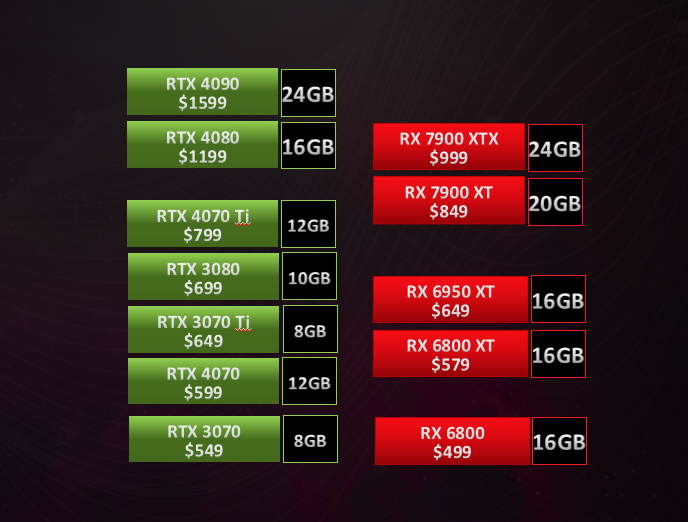
👉 For local AI deployment, VRAM often matters more than GPU core count.
One-Sentence Takeaway
The first requirement for local AI is not compute speed—it’s whether the model can fully fit into GPU memory.
If it doesn’t fit, performance becomes irrelevant.
What Resources Does Local AI Actually Consume?
It’s not just compute—it’s memory capacity
For local AI (especially LLM inference), the GPU must do two things:
- Store the model
- Execute inference
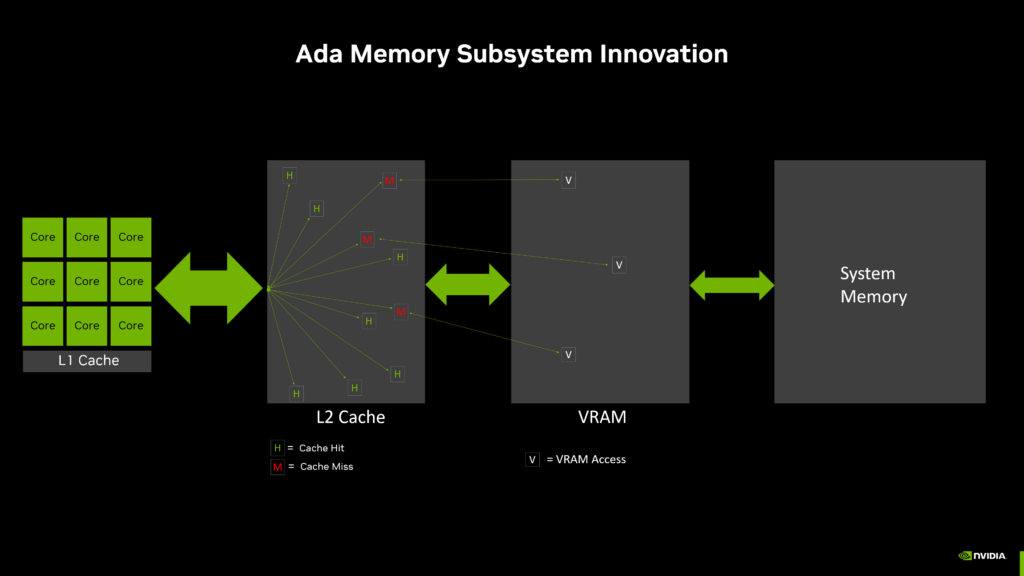
📌 If the model cannot fully reside in VRAM,
step 2 never really happens in a usable way.
A Common Misconception: More Cores = Bigger Models ❌
Many people assume:
“More GPU cores → stronger GPU → larger models”
This assumption may hold for training,
but it often fails for local inference.
What Must Fit in VRAM During LLM Inference?
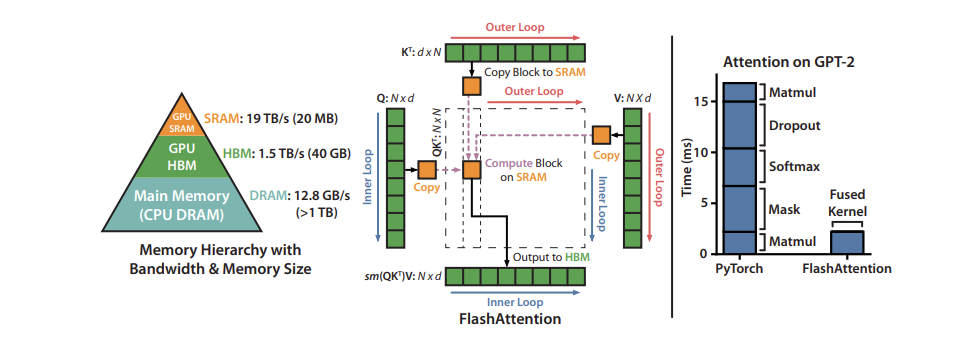
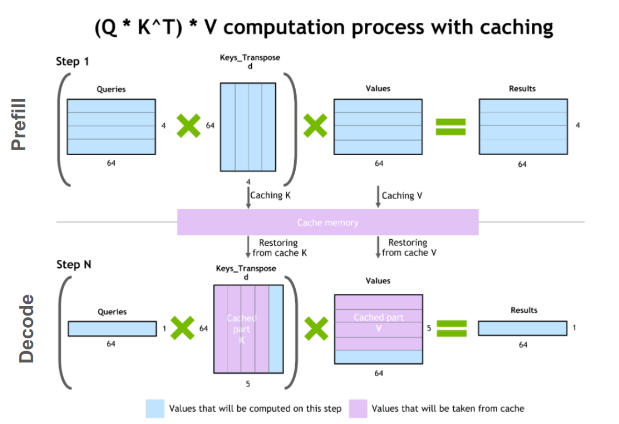
During inference, VRAM must simultaneously hold:
- Model weights
- Intermediate activations
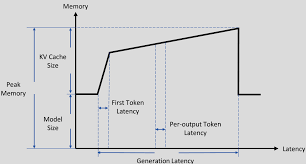
- KV cache (token history)
- Framework and runtime buffers
👉 These are hard requirements, not optional optimizations.
Why Insufficient VRAM Breaks Local AI
Scenario 1: Not Enough VRAM
- Model fails to load
- Out-of-memory (OOM) errors
- Forced CPU fallback (performance collapses)
Scenario 2: Enough VRAM
- Model loads fully
- Inference is stable
- Performance matches expectations
📌 This is the difference between
“usable” and “non-functional.”
Quantization Helps—but It’s Not a Cure-All
You may hear about:
- 8-bit
- 4-bit
- GGUF / GPTQ formats
Quantization can reduce VRAM usage, but:
- Accuracy may drop
- Some models don’t quantize well
- KV cache still consumes memory
👉 Quantization is a tool, not a guarantee.
A Practical Comparison Example
GPU A
- 10,000 cores
- 8 GB VRAM
GPU B
- 5,000 cores
- 24 GB VRAM
For local LLM inference:
👉 GPU B is almost always the better choice
Why?
- GPU A: model may not load at all
- GPU B: model fits fully and runs smoothly
Why Core Count Has Diminishing Returns for Inference
LLM inference characteristics:
- Tokens are generated sequentially
- Limited parallelism per request
- Cores often wait on memory, not computation
👉 More cores ≠ linear speedup for local inference.
How VRAM Impacts Local AI (At a Glance)
| Factor | VRAM Impact |
|---|---|
| Model load success | Critical |
| OOM risk | Direct |
| Max model size | Decisive |
| Context length | Strong |
| Inference stability | Very high |
| User experience | Massive |
Practical VRAM Guidelines for Local LLM Inference
Assumes single-user, local inference:
| VRAM | Practical Capability |
|---|---|
| 8 GB | Very small models only |
| 12 GB | 7B (heavily quantized) |
| 16 GB | 7B comfortably |
| 24 GB | 7B/8B easily, 13B (quantized) |
| 48 GB+ | 13B+, long context windows |
📌 More VRAM = more freedom and stability.
When Does Core Count Actually Matter?
GPU core count becomes critical when:
- Training models
- Large-batch inference
- High-concurrency serving
- Chasing maximum tokens/sec
👉 These are not typical personal or local AI scenarios.
One Sentence to Remember
For local AI, the first hurdle is not speed—it’s whether the model fits.
Final Conclusion
In local AI deployment—especially LLM inference—VRAM is the floor, while core count is the ceiling.
- Insufficient VRAM → unusable system
- Adequate VRAM → performance discussion becomes meaningful
If your goal is:
- Local LLMs
- Personal AI assistants
- RAG and document QA
👉 Prioritize VRAM above everything else.